This page outlines the steps on how to delete your account on OneMOBILE
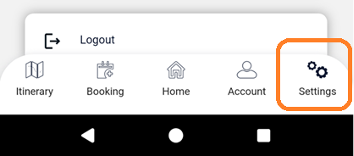
Log in to OneMOBILE and go to ‘Settings’
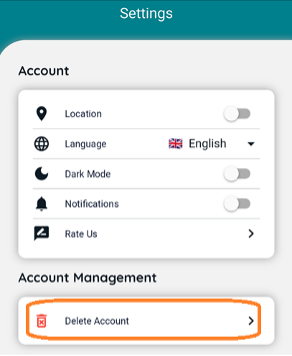
Under ‘Account Management’ you will see the option to ‘Delete Account’
Click on the delete button.
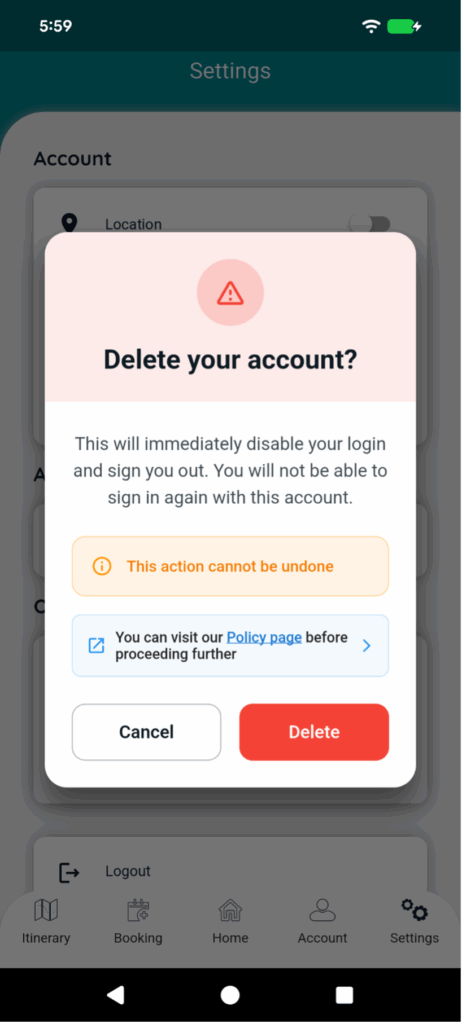
This will open up a popup for confirmation
This will ask you to confirm that you are sure you are trying to delete your account.
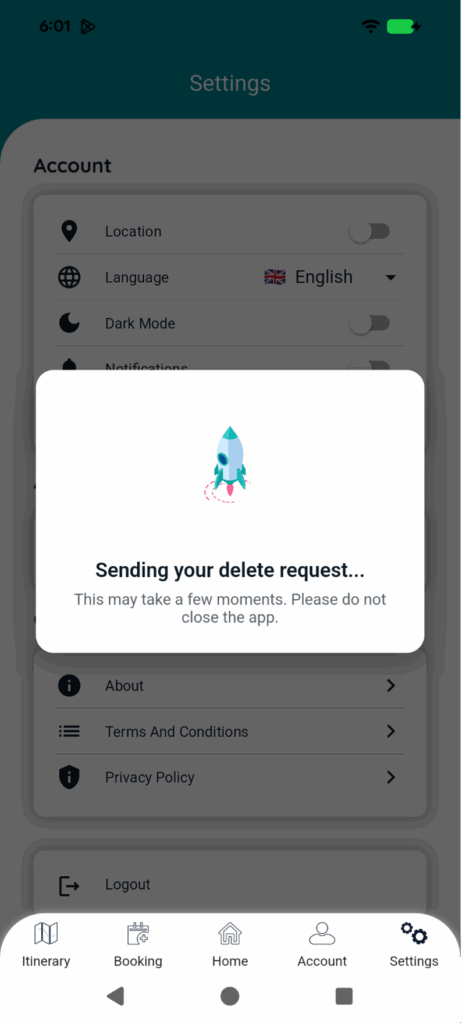
Click on Delete. You will see a processing page.
Followed by a confirmation page.
Upon confirming you will immediately be deleted the user from OneMOBILE and OneTRACKER (if you also had access to that) and will receive an email notification to your registered email address
Once you click OK, you will be logged out and returned to the login page.